Understanding Network Devices
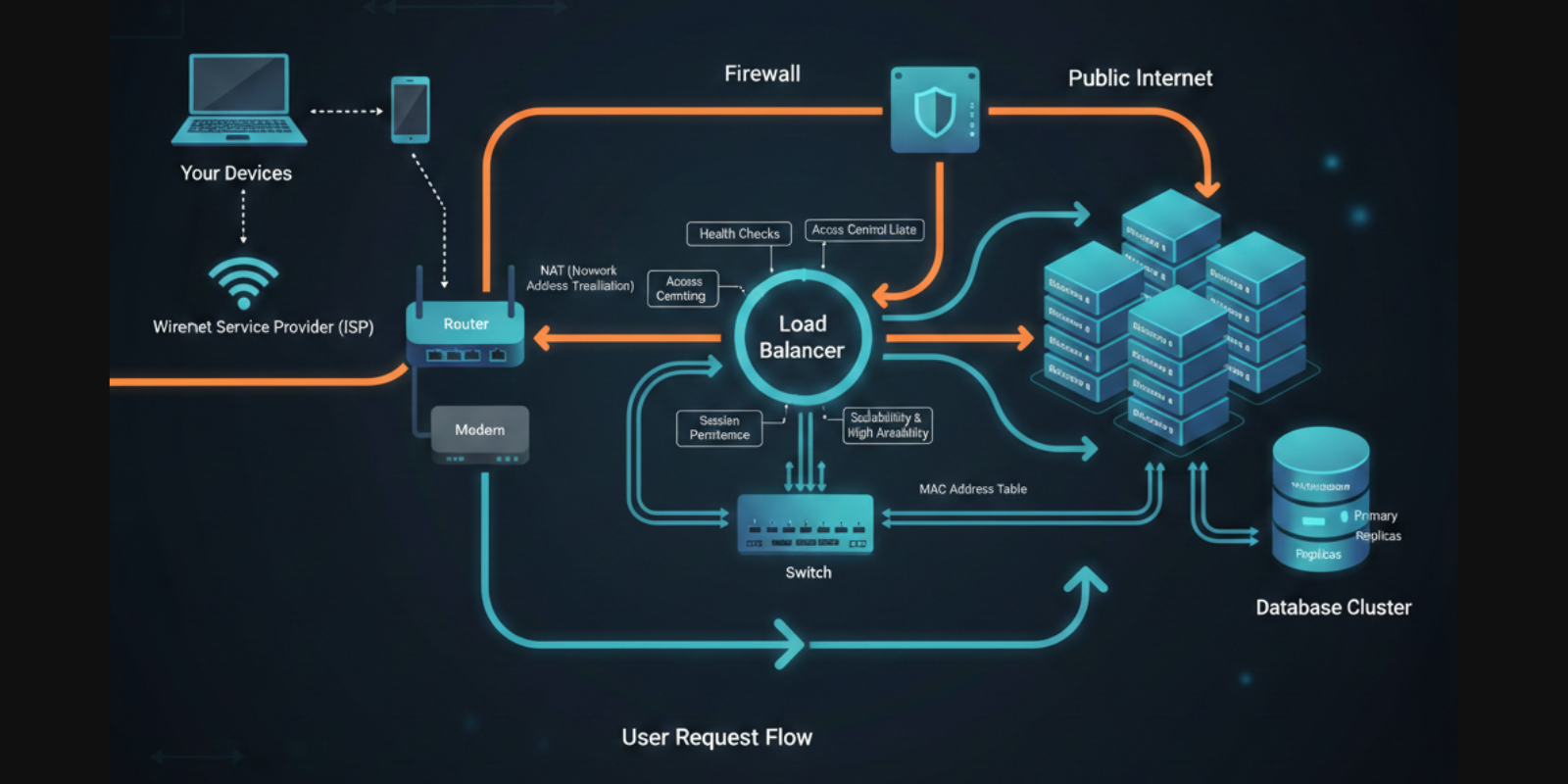
Network Devices
Devices which helps us in communicating with other devices smoothly without any problem within a network.
It include various hardware tools – Routers, Switches, Modems & Hubs etc. play a very important role in connecting various devices such as computers, servers, mobiles & other device allowing them to change information.
Each devices perform specific task like from routing data between networks to providing access to internet.
Many people use internet daily but don’t know what is happening behind the scenes.
In reality, some hardware devices work together quietly to make everything possible.
Let’s understand this step by step, in very simple words.Internet →Modem → Router → Switch → Your Devices (Laptop, Mobile, Office Systems)
1️⃣ What is a Modem and How It Connects Internet?
Simple Meaning
A Modem is the device that connects your house or office to the internet company (ISP).
Without modem, there is no internet at all.
What Modem Actually Does
Takes internet signal from ISP (fiber, cable, etc.)
Converts it into digital data your network can understand
Brings internet inside your building
Easy Example
👉 Post Office Gate
Post office receives letters from outside cities and gives them to local area.
Same way, modem receives internet from outside world and gives it to your network.
Important Point
Modem does not manage devices
It only brings internet inside
2️⃣ What is a Router and What Does It Do?
Simple Meaning
A Router decides which device should get which data.
If you have mobile, laptop, TV — router manages all of them.
Router’s Work
Gives local IP address to devices
Knows which device asked for what
Sends correct data to correct device
Creates your local network
Easy Example
👉 Traffic Police
Traffic police knows:
Which road to send which vehicle
Prevents confusion and accidents
Router works exactly like that.
Router vs Modem (Very Important)
| Modem | Router |
| Brings internet | Distributes internet |
| Talks to ISP | Talks to devices |
| One connection | Many connections |
3️⃣ Switch vs Hub: How Devices Talk Inside Network
What is a Hub? (Old Method)
A Hub sends data to all connected devices, even if they don’t need it.
Hub Example
👉 Someone shouting in a room
Everyone hears it, even if message is not for them.
Problems with Hub
Very slow
Wastes data
Not secure
What is a Switch? (Used Today)
A Switch sends data only to the required device.
Switch Example
👉 Courier delivery boy
Parcel is delivered to correct house, not to everyone.
Why Switch is Better
Fast
Secure
Less data waste
Used everywhere today
Hub vs Switch
| Hub | Switch |
| Sends to all | Sends to specific device |
| Slow | Fast |
| No intelligence | Smart |
4️⃣ What is a Firewall and Why It Is Important?
Simple Meaning
A Firewall protects your network from wrong or dangerous traffic.
What Firewall Does
Blocks unwanted users
Allows safe traffic
Checks rules before allowing entry
Where Firewall Sits
Inside router
Or between router and servers
Easy Example
👉 Security Guard at Gate
Checks ID
Allows only authorised people
Stops suspicious ones
Why Firewall is Important for Developers
Protects backend APIs
Stops hacking attempts
Keeps data safe
5️⃣ What is a Load Balancer and Why Big Systems Need It?
Simple Meaning
A Load Balancer divides traffic between multiple servers.
Why It Is Needed
If only one server handles everything:
- Server will slow down or crash
Load balancer solves this.
Easy Example
👉 Toll Plaza
Cars are sent to different counters so traffic keeps moving.
What Load Balancer Does
Shares user requests
Improves speed
Keeps system running even if one server fails
Used In
Large websites
Cloud systems
Production backend
6️⃣ How All These Devices Work Together
When you open a website:
Request leaves your device
Goes to Switch
Reaches Router
Router sends it to Modem
Modem sends it to Internet
Response comes back
Firewall checks safety
Load balancer sends request to a server
Server responds
You see the website
All this happens in milliseconds.


